
Will Your 15.6 or 16-Inch Laptop Fit This Backpack? A Measurement-First Guide

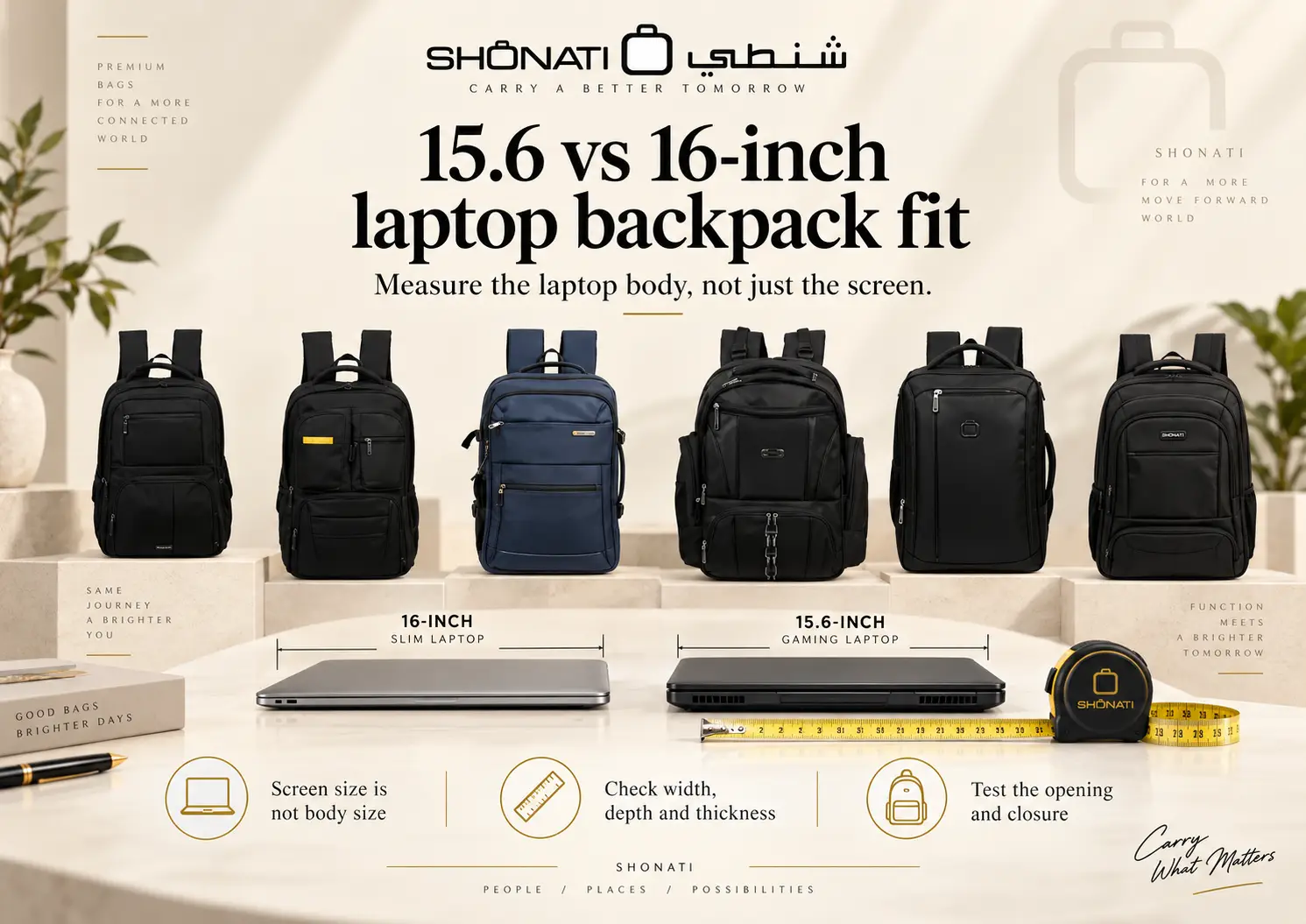
A 15.6-inch laptop does not automatically need a smaller backpack than a 16-inch laptop.
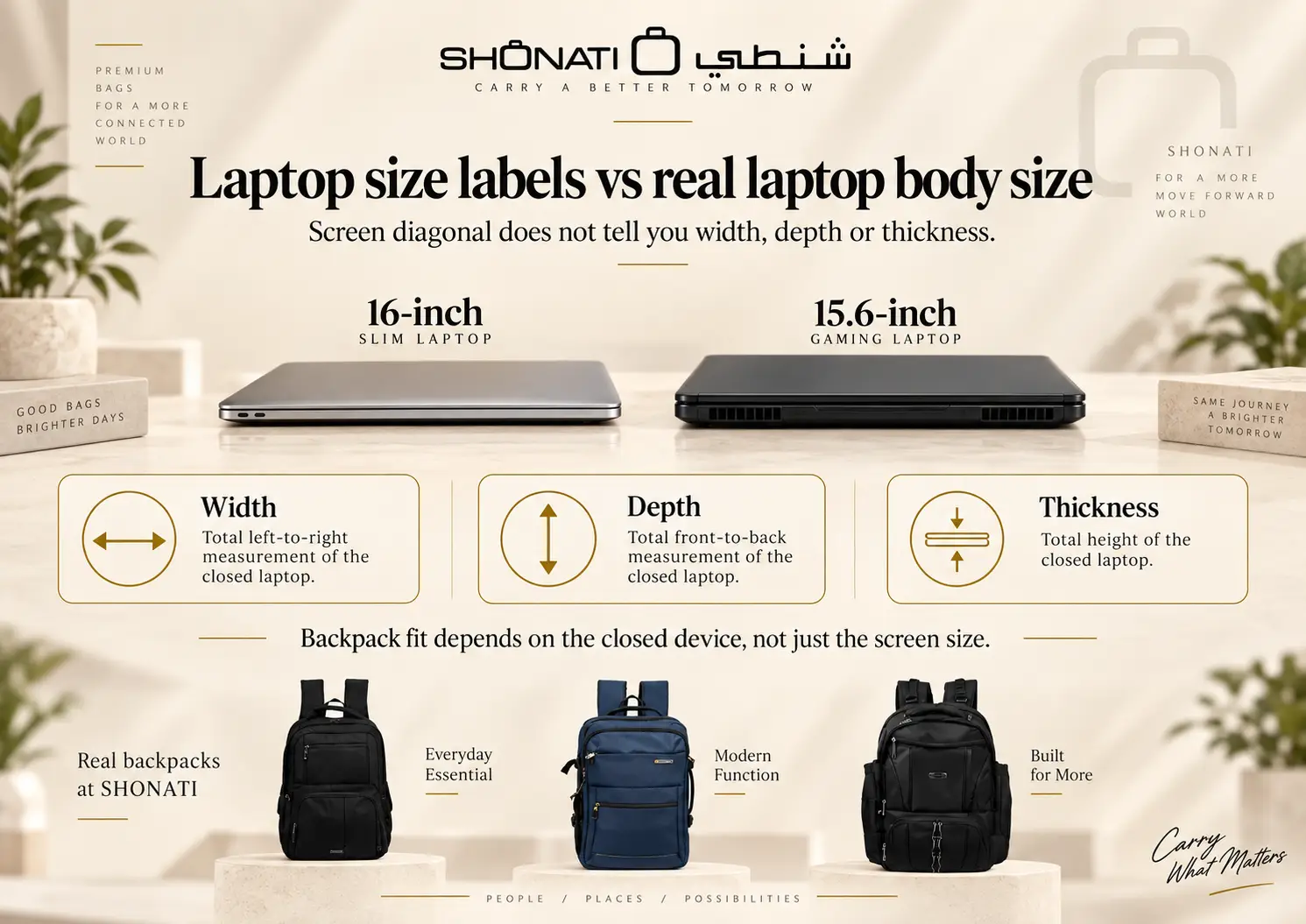
The number printed next to a laptop — 15.6″, 16″, 17″ — describes the diagonal size of the display. It does not tell you the complete width, front-to-back depth or thickness of the laptop body.
That distinction matters when choosing a backpack.
A laptop can have a smaller screen label and still have a larger chassis than another laptop with a bigger screen. The backpack must fit the physical device, not the marketing label.
This SHONATI guide explains how to measure a laptop and a backpack compartment, why screen-size labels can mislead, and what happened when SHONATI tried both laptop examples in six PRESIDENT backpacks.
Product and technical information reviewed: 30 September 2026. Laptop models, backpack specifications and available stock can change. Screen-size labels are not guarantees of physical fit. The two named laptops were physically checked against all six listed PRESIDENT models; other laptops still require their own fit check when internal dimensions are unpublished.
Visual note: The infographics are editorial illustrations. The six backpack photographs and linked model-specific dimension diagrams show the actual listed products. SHONATI separately tested the two named laptop examples in all six backpacks; an illustration by itself is not evidence of that test.
Quick Answer: Will a 15.6 or 16-Inch Laptop Fit This Backpack?
For an untested pairing, you cannot know from the screen-size label alone. In SHONATI’s physical check, both the named MacBook Pro 16 and Lenovo LOQ 15.6 fitted in all six PRESIDENT backpacks compared below.
To verify fit, compare:
- the laptop’s full body width;
- the laptop’s front-to-back depth;
- the laptop’s thickness;
- the backpack compartment’s usable internal dimensions;
- and the actual opening the laptop must pass through.
A backpack labelled “15.6-inch”, “16-inch”, “17-inch”, “18-inch” or “19-inch” gives you a useful starting point. It should not be treated as a universal physical measurement.
The most reliable process is:
Identify the laptop model → find its body dimensions → measure the backpack compartment → check the opening → test the real fit when necessary.
The Most Important Rule: Measure the Laptop Body, Not Just the Screen
Laptop screen size is measured diagonally across the visible display.
That measurement does not include the full outer chassis around the display, keyboard deck, hinges or thickness of the closed computer.
For backpack fit, the important measurements are the complete physical dimensions of the laptop when closed.
The three laptop measurements you need
- Width: left edge to right edge.
- Depth: front edge to rear edge.
- Thickness: bottom of the chassis to the highest point of the closed lid.
If the laptop is always carried inside a protective shell, hard case or thick sleeve, measure the configuration that will actually go into the backpack.
A 15.6-Inch Laptop Can Be Physically Larger Than a 16-Inch Laptop
This is the clearest reason not to buy a backpack by screen size alone.
Compare two real computers.
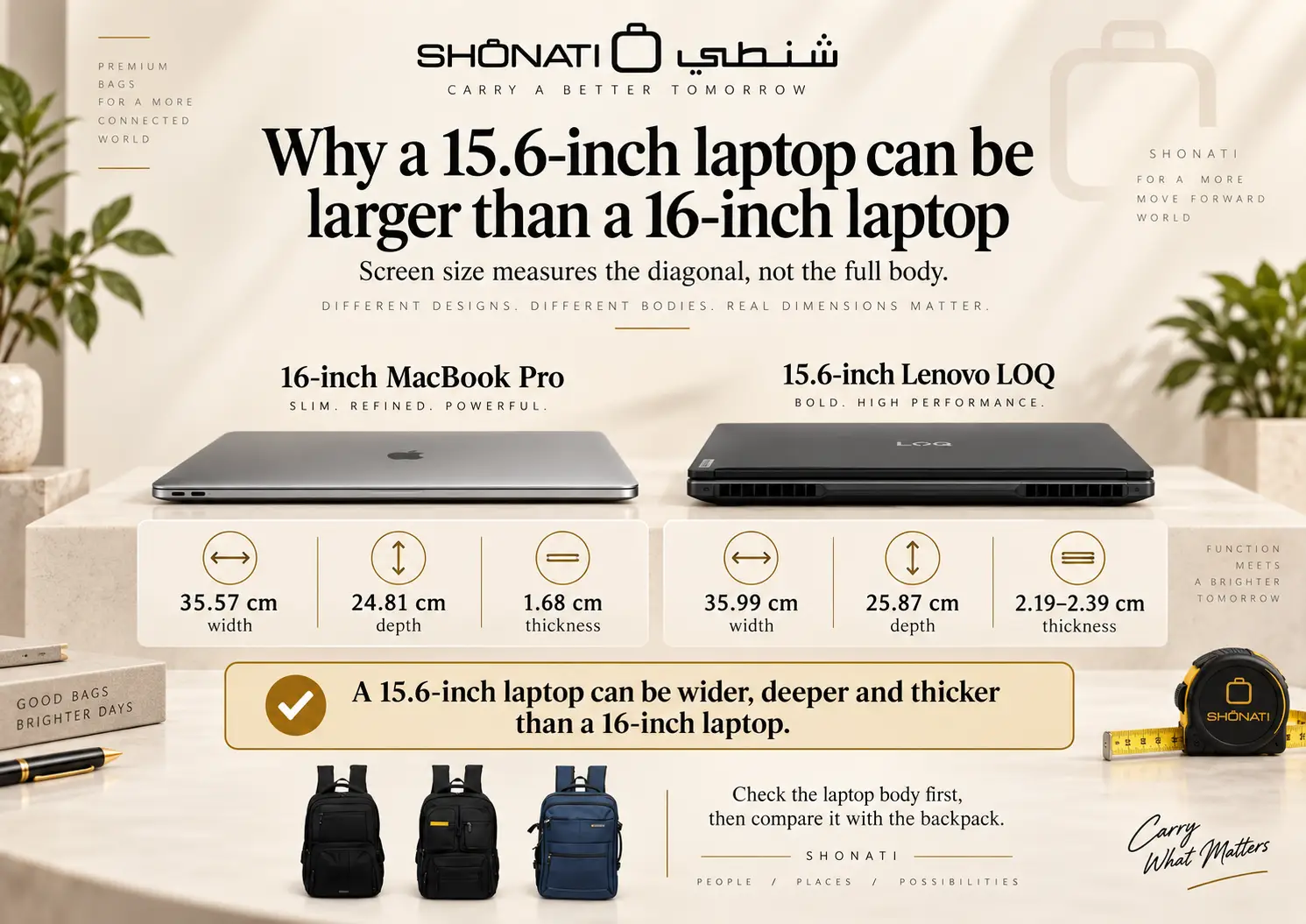
| Laptop | Display Size | Body Width | Body Depth | Thickness |
|---|---|---|---|---|
| Apple MacBook Pro (16-inch, 2024) | 16-inch class | 35.57 cm | 24.81 cm | 1.68 cm |
| Lenovo LOQ 15IRX9 | 15.6 inch | 35.986 cm | 25.87 cm | 2.19–2.39 cm |
The Lenovo has the smaller screen label, but its chassis is approximately:
- 0.42 cm wider;
- 1.06 cm deeper;
- and 0.51–0.71 cm thicker
than the 16-inch MacBook Pro (2024) in this comparison.
So the statement:
“A 15.6-inch laptop is smaller than a 16-inch laptop.”
is not reliable for backpack fit.
Screen diagonal is a display specification. Laptop fit is a chassis-dimension problem.
Why Do Laptops With Similar Screen Sizes Have Different Body Dimensions?
Several design choices change the physical footprint of a laptop.
Display aspect ratio
Two screens with similar diagonals can use different width-to-height proportions. That changes the shape of the lid and chassis.
Bezels
Thin display borders can allow a larger screen to fit inside a relatively compact body. A laptop with thicker bezels may have a larger chassis even with a smaller display.
Cooling system
Gaming and performance laptops may use larger cooling systems, rear ventilation sections and thicker bodies.
Ports and chassis construction
Port placement, hinges, structural reinforcement, battery design and internal component layout can also change the dimensions.
The result is simple:
two laptops with the same screen size can need different backpack compartments.
The Four Fit Checks That Matter
Comparing laptop width with backpack width is not enough.
A useful fit check has four separate stages.
1. Opening
Can the laptop pass through the backpack opening easily?
A compartment can be large enough internally while the zipper opening, curve or surrounding structure makes insertion difficult.
2. Sleeve footprint
Does the usable laptop section provide enough width and depth for the complete chassis?
3. Thickness
Can the compartment accept the laptop’s thickness without stretching the padding or forcing neighbouring sections outward?
4. Closure clearance
Once the laptop is fully seated, does the zipper, flap or top closure close naturally without pressing against the top corners of the device?
A laptop that technically enters the backpack but requires force to close should not be described as a comfortable fit.
How to Measure Your Laptop in About 60 Seconds
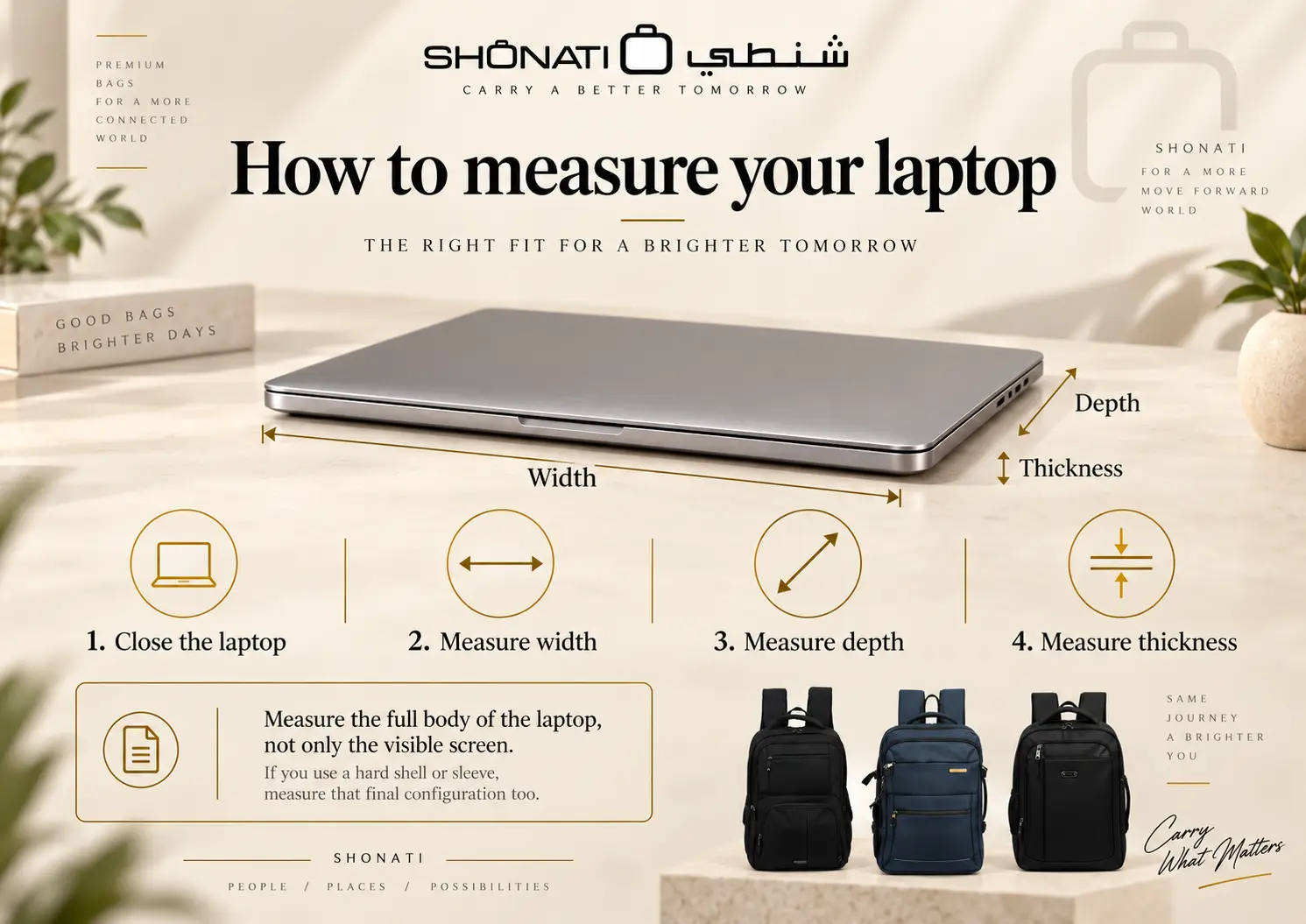
Before measuring, close the laptop and place it on a flat surface.
Step 1: Measure the width
Measure from the furthest left point of the chassis to the furthest right point.
Step 2: Measure the depth
Measure from the front edge to the rear edge, including any permanent rear extension.
Step 3: Measure the thickness
Measure the closed device at its thickest point.
Step 4: Identify the exact model
If you prefer to use manufacturer specifications, make sure you identify the exact laptop model rather than using the dimensions of another laptop from the same family.
Step 5: Include your protective case if you always use one
If your laptop normally travels inside a fitted hard shell or protective sleeve, measure that final configuration too.
The backpack needs to fit what you actually put inside it.
How to Measure the Backpack Laptop Compartment
Overall backpack dimensions are useful for understanding the size of the bag. They are not the same as laptop-compartment dimensions.
For a reliable fit check, measure the dedicated laptop section itself.
Usable internal width
Measure the narrowest practical width inside the laptop section.
Usable internal depth
Measure from the usable bottom of the sleeve to the highest point the laptop can occupy while still allowing the compartment to close normally.
Usable thickness
Measure the space available without pulling, stretching or compressing the padding unnaturally.
Opening width
Measure the narrowest point the laptop has to pass through when entering the compartment.
Closure clearance
Check how much space remains above the laptop before the zipper or flap closes.
Raised or false bottom
Some laptop compartments stop above the physical bottom of the backpack. This can help keep the device away from direct contact with the floor when the backpack is placed down.
If present, the raised base should be documented separately rather than included as usable laptop depth.
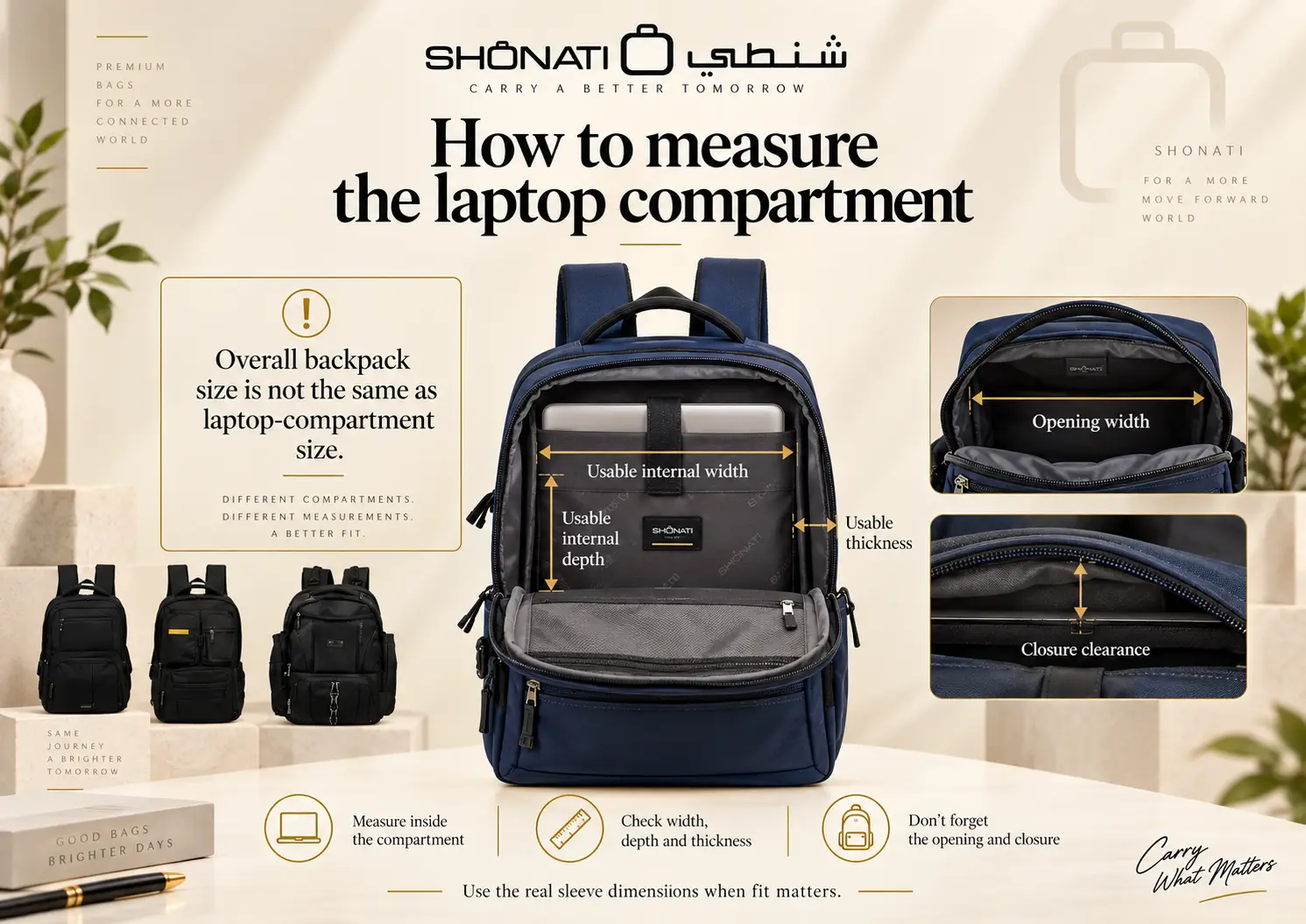
Overall Backpack Dimensions Are Not Laptop-Compartment Dimensions
This is one of the most common buying mistakes.
A backpack listed with external dimensions such as:
32 × 17 × 47 cm
does not mean the laptop compartment has those same measurements.
Part of the backpack’s total space is used by:
- outer fabric and shell;
- padding;
- back panel;
- zippers;
- curved corners;
- internal dividers;
- other compartments;
- and structural elements.
The usable sleeve can therefore be meaningfully smaller than the overall bag.
This is why SHONATI does not calculate an internal laptop size by subtracting an arbitrary amount from the external dimensions.
If the internal measurements are not published, they should be measured physically.
Backpack Capacity in Litres Does Not Tell You Laptop Fit
A 16-litre backpack can have a laptop compartment designed around a 16-inch computer, while a much larger 30-litre backpack can still have a differently shaped or smaller laptop sleeve.
Litres describe overall storage capacity.
Laptop compatibility depends on:
- laptop-compartment dimensions;
- compartment opening;
- padding;
- and device body dimensions.
Capacity and laptop fit are therefore separate specifications.
What Does a Strong Laptop-Backpack Specification Look Like?
The most useful product pages go beyond a simple “fits 16-inch laptop” claim.
For example, HP product specifications for its Everyday 16-inch Backpack publish:
- overall backpack dimensions;
- backpack weight;
- and a recommended maximum laptop envelope of 40 × 27 × 3 cm.
Thule also publishes laptop-compartment dimensions separately on selected backpacks.
For example, the Thule EnRoute 26L lists a laptop compartment of approximately:
40.1 × 25.9 × 2.0 cm
while the overall backpack is substantially larger.
This is a much stronger buying specification than a screen-inch label by itself.
For SHONATI laptop-backpack product pages, useful evidence includes model-specific overall dimensions, internal laptop dimensions when recorded, and the result of a physical fit check for named devices.
Will a 16-Inch Laptop Fit in a 15.6-Inch Backpack?
Sometimes yes. Sometimes no.
Use the following decision sequence.
- Find the exact dimensions of the 16-inch laptop.
- Find or measure the usable internal dimensions of the backpack sleeve.
- Check the sleeve opening.
- Compare laptop thickness with available thickness.
- Confirm the closure works without pressure.
- If the measurements are close, perform a physical fit test.
If the 16-inch laptop has a compact chassis and the 15.6-inch backpack has generous internal dimensions, it may fit comfortably.
If the backpack compartment is tightly sized around a smaller 15.6-inch chassis, it may not.
The reverse is also true: some thick 15.6-inch gaming laptops can be harder to fit than slim 16-inch productivity laptops.
Why Gaming Laptops Need Extra Attention
Gaming laptops are a good example of why screen size is not enough.
A performance laptop may have:
- a thicker chassis;
- larger cooling sections;
- more rear depth;
- and a larger power adapter.
The Lenovo LOQ example in this guide has a 15.6-inch display but a body measuring approximately:
35.99 × 25.87 × 2.19–2.39 cm.
That is physically larger in all three compared dimensions than the 16-inch MacBook Pro example.
When shopping for a gaming-laptop backpack, measure:
- the laptop itself;
- the laptop while wearing any protective case;
- and the charger or power brick you intend to carry.
A backpack may fit the computer but still be impractical if the charger, mouse and accessories consume the rest of the usable organisation.
Laptop Fit Is Only Part of the Real Carrying Problem
For work, gaming, university or travel, the laptop is rarely the only item inside the backpack.
You may also need:
- power adapter;
- charging cables;
- mouse;
- headphones;
- documents;
- notebook;
- power bank;
- tablet;
- water bottle;
- and personal items.
So a backpack should be evaluated in two stages:
Stage 1 — Does the laptop fit correctly?
Stage 2 — Does the backpack still organise the rest of your daily load without forcing everything into the laptop section?
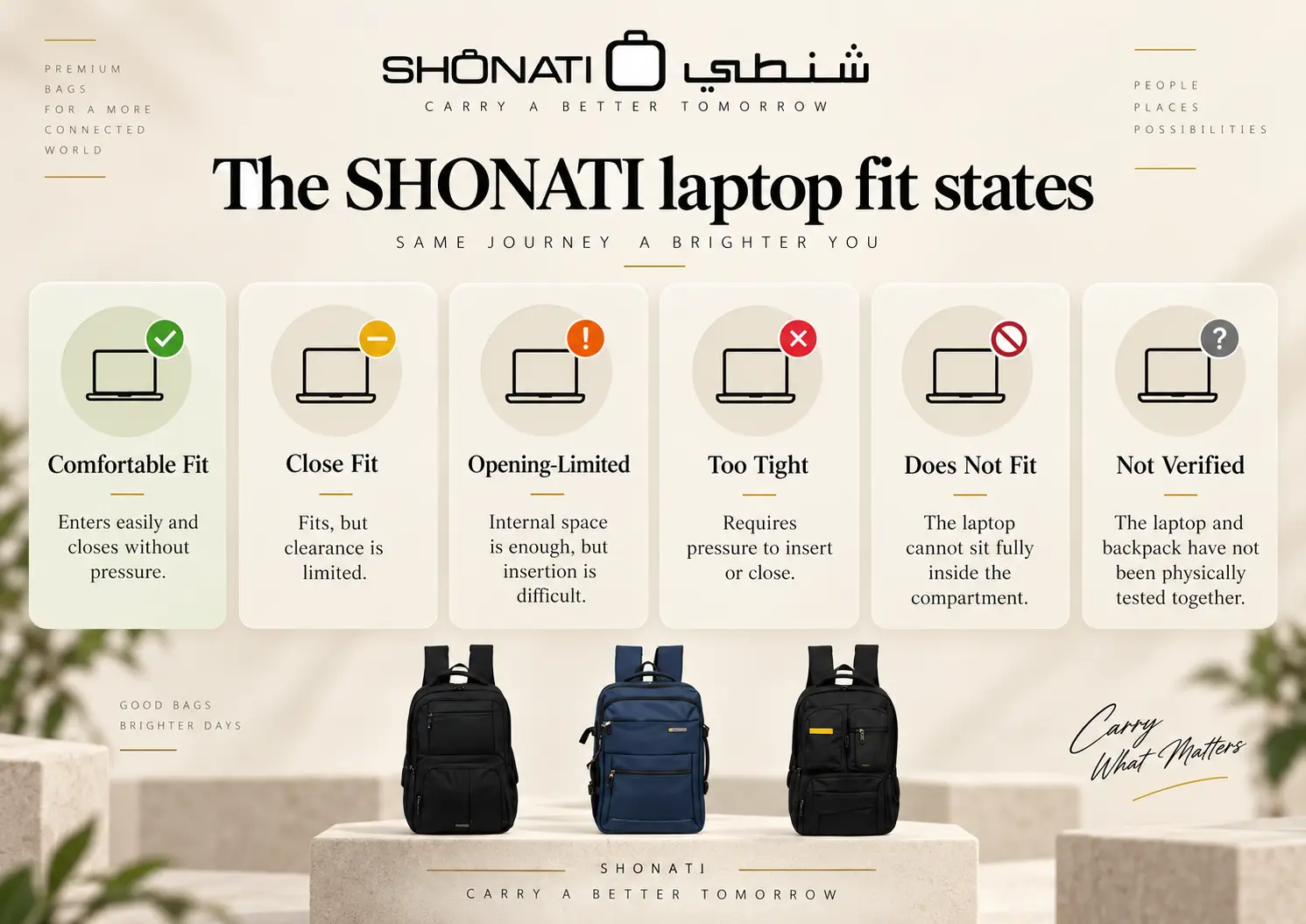
The SHONATI Laptop Fit States
For this guide, SHONATI uses six practical fit descriptions.
| Fit Status | What It Means |
|---|---|
| Comfortable Fit | The laptop enters easily, sits correctly and the compartment closes without pressure. |
| Close Fit | The laptop fits, but clearance around one or more dimensions is limited. |
| Opening-Limited | The internal space appears sufficient, but the opening makes insertion or removal difficult. |
| Too Tight | The laptop can be forced inside, but the padding, zipper or device is under unnecessary pressure. |
| Does Not Fit | The laptop cannot sit fully inside the usable laptop compartment. |
| Not Verified | The laptop and backpack have not yet been physically tested together. |
A forced fit is not the same as a good fit.
Real PRESIDENT Laptop Backpacks at SHONATI
SHONATI physically tried both the MacBook Pro 16 and the Lenovo LOQ 15.6 examples in each of the six PRESIDENT backpacks below. Both devices fit in all six tested backpacks. The bags also have identifiable space for the laptop, a notebook and other everyday items. This is a test of these two specific devices, not a promise that every laptop carrying the same screen-size label will fit.
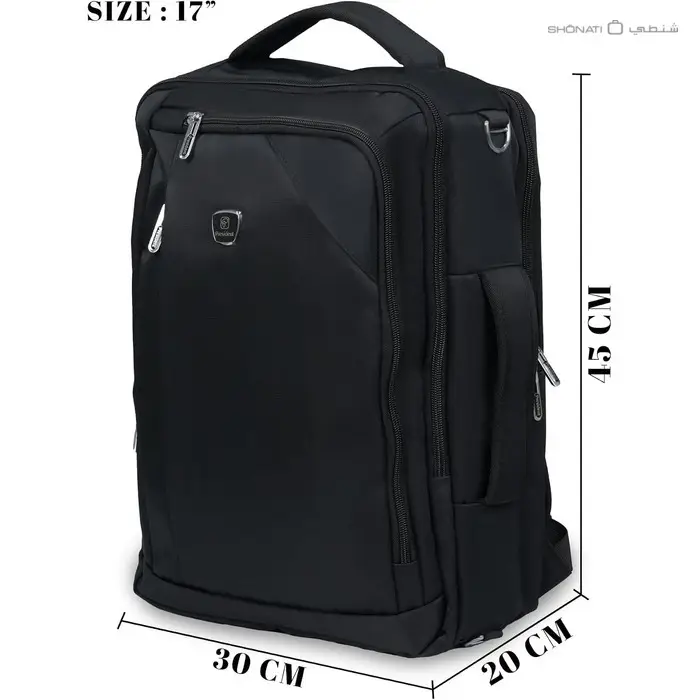
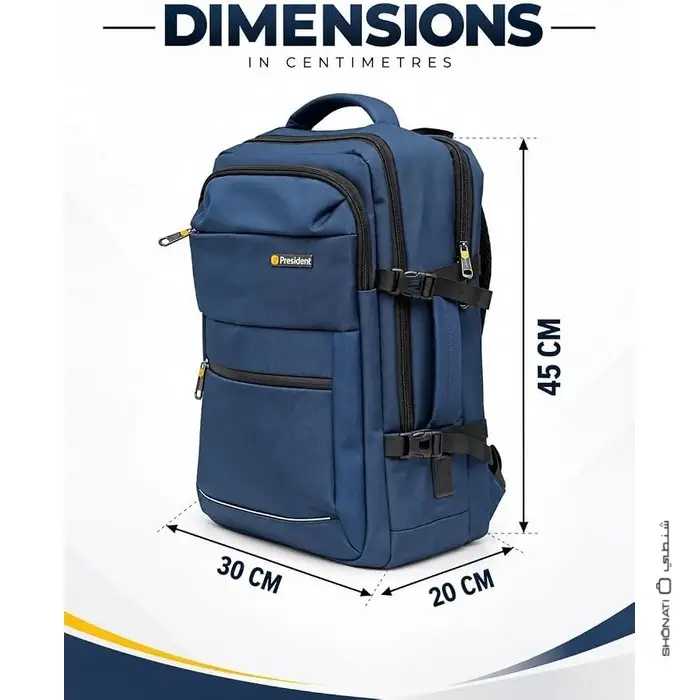
The measurements below describe the outside of each backpack, not the usable internal laptop section. For four models, a matching model-specific dimension graphic provides the exterior measurements. BPP6957/18 and BPP8003 use their product-page measurements here.
| Model | Nominal Label | Overall Size (cm) | Size Evidence | Weight | Physical Fit of Both Test Laptops |
|---|---|---|---|---|---|
| BPP6957/18 | 18-inch | 32 × 17 × 47 | Product-page measurement; gallery size artwork does not match the main product photo | 600 g | Both fit in SHONATI’s physical check |
| BPP6959/18 | 18-inch | 30 × 14 × 46 | Model dimension image; page text differs | 800 g | Both fit in SHONATI’s physical check |
| BPP24939 | 18-inch | 30 × 20 × 45 | Model dimension image; page text differs | 900 g | Both fit in SHONATI’s physical check |
| BPP8003 | 19-inch | 35 × 15 × 50 | Current product-page specification; no model-specific size diagram found | 900 g | Both fit in SHONATI’s physical check |
| BPP2797 | 17-inch | 30 × 20 × 45 | Model dimension image; page text differs | 900 g | Both fit in SHONATI’s physical check |
| BPP00455 | 19-inch | 35 × 15 × 50 | Model dimension image and page text agree | Approx. 900 g | Both fit in SHONATI’s physical check |
Data note (30 September 2026): Where a matching model-specific graphic exists, its dimension sequence is used; BPP6957/18 and BPP8003 use the product-page measurement. None of these exterior figures is an internal sleeve measurement. The BPP6957/18 gallery size artwork appears to depict a different front-pocket design and is excluded from its measurement evidence. The BPP6959/18 graphic shows 30, 14 and 46 cm. Three product-page descriptions still carry different exterior measurements and should be corrected separately. The physical fit check confirms these two devices entered the laptop areas; it does not establish a universal maximum laptop size or a measured internal clearance.
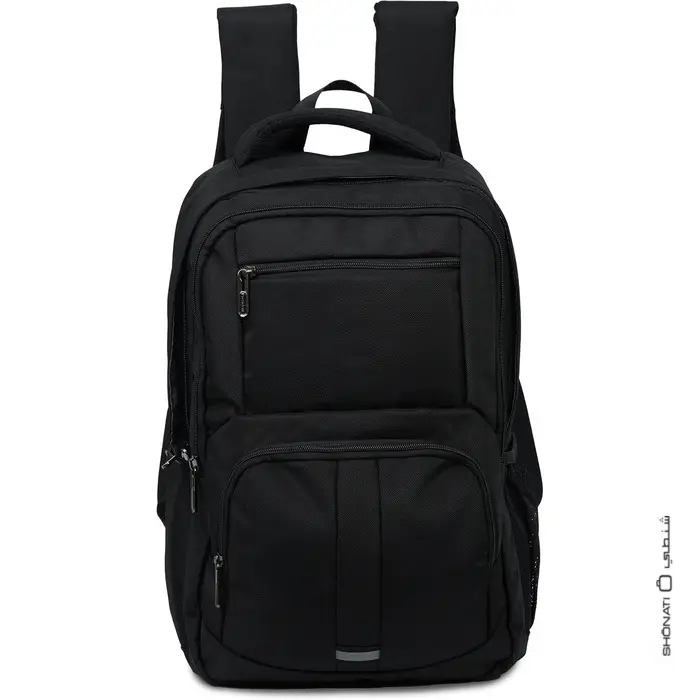
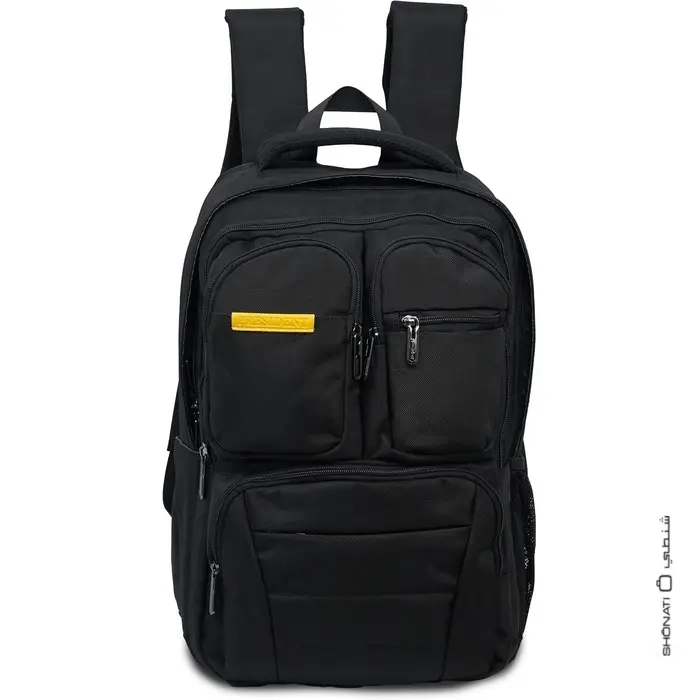
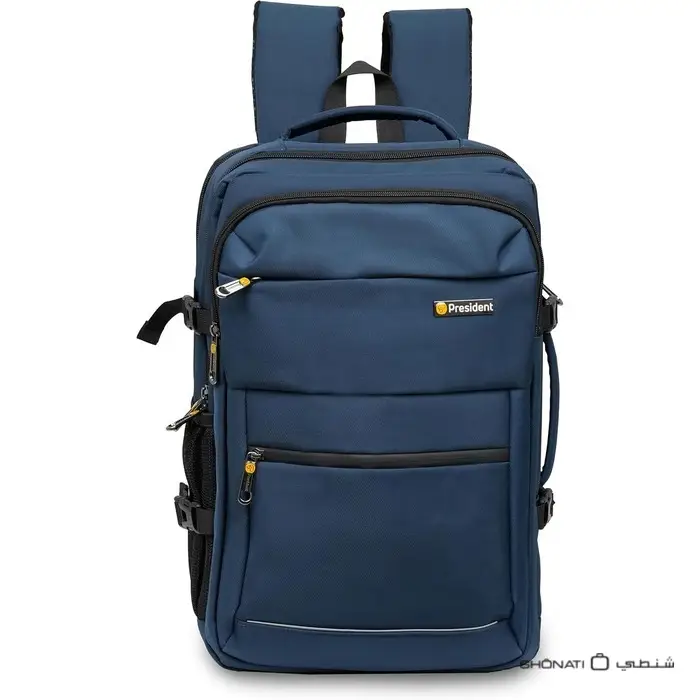
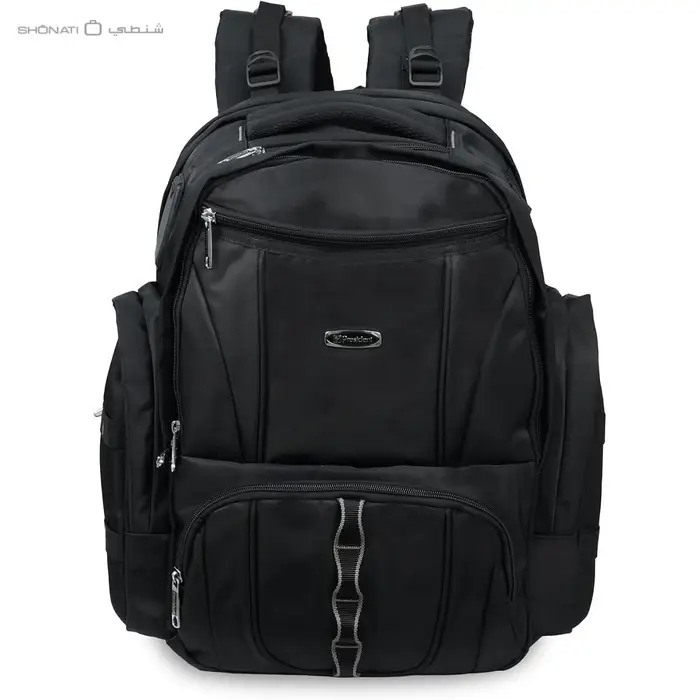
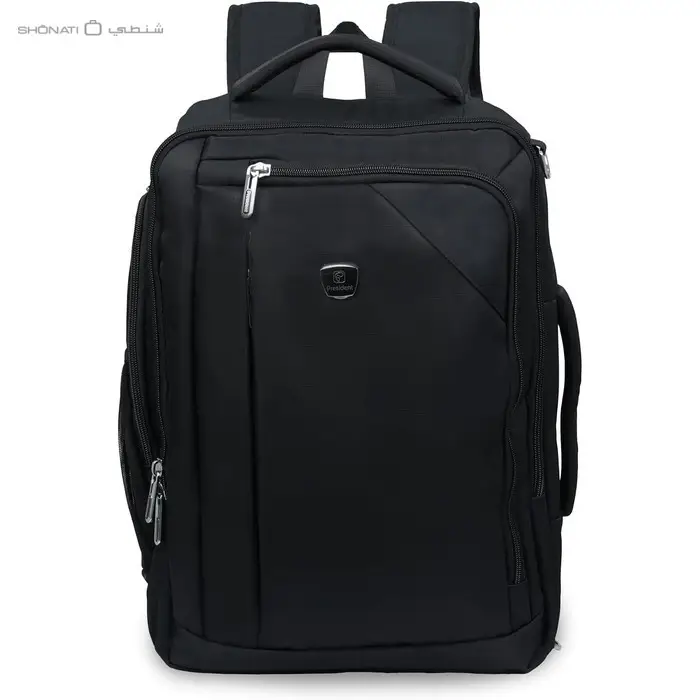
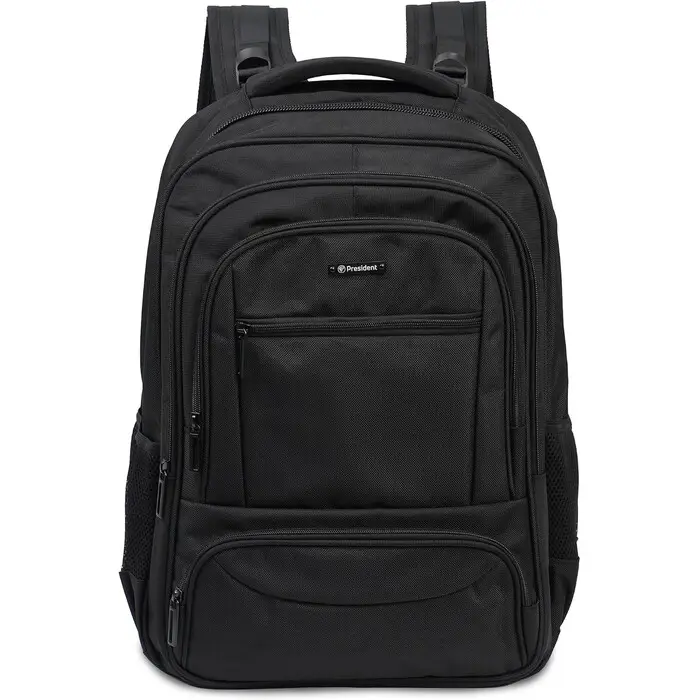
These are product-gallery photographs for the six linked models. Photo scale alone cannot establish their dimensions; use the dimension diagrams linked in the table and the physical fit result for the two tested devices.
17, 18 and 19-Inch Labels: Different Bags, Different Measurements
The six models have different shapes and organisation. Their nominal 17-inch, 18-inch and 19-inch labels are not measured laptop-sleeve dimensions. The matching model-specific graphics show BPP6959/18 at 30 × 14 × 46 cm, BPP2797 and BPP24939 at 30 × 20 × 45 cm, and BPP00455 at 35 × 15 × 50 cm. BPP6957/18 lists 32 × 17 × 47 cm and BPP8003 lists 35 × 15 × 50 cm on their product pages. BPP6957/18 has a size graphic in its gallery, but its front-pocket design does not match the main product photograph, so that graphic is not used as a dimension source here.
The model-specific dimension graphics take precedence here where generic product text repeats a different number. Two models sharing an exterior size still need not share the same laptop sleeve or pocket layout.
What the BPP24939 Fit Test Does and Does Not Prove
BPP24939 is sold with an 18-inch reference, while other listings have made conflicting 15.5-inch and 19-inch compatibility claims. Its own dimension image shows 30 × 20 × 45 cm, while its product-page text currently says 35 × 15 × 50 cm.
SHONATI’s physical test resolves one practical question: the MacBook Pro 16 and Lenovo LOQ 15.6 examples both fit this actual BPP24939 backpack. It does not prove that every device sold as 18 or 19 inches will fit. Laptop chassis dimensions, compartment opening and thickness remain relevant for any other model.
The SHONATI Laptop Fit Test
SHONATI tested the two laptops in the six listed backpacks, checking that each laptop could use the laptop area and that the backpack also offered separate space for a notebook and other essentials. Both devices fit in all six. The test outcome is recorded below without inventing internal sleeve dimensions or a numerical clearance.
| Backpack | MacBook Pro 16 | Lenovo LOQ 15.6 | Organisation Observed |
|---|---|---|---|
| BPP6957/18 | Fits in physical test | Fits in physical test | Laptop area plus space for notebook and other items |
| BPP6959/18 | Fits in physical test | Fits in physical test | Laptop area plus space for notebook and other items |
| BPP24939 | Fits in physical test | Fits in physical test | Laptop area plus space for notebook and other items |
| BPP8003 | Fits in physical test | Fits in physical test | Laptop area plus space for notebook and other items |
| BPP2797 | Fits in physical test | Fits in physical test | Laptop area plus space for notebook and other items |
| BPP00455 | Fits in physical test | Fits in physical test | Laptop area plus space for notebook and other items |
Test scope: These are model-specific results for the two actual laptops tried by SHONATI. Internal width, depth, opening and spare clearance have not been recorded as numerical measurements in this guide. A protective case or a different chassis can change the outcome; close fits should still be checked in person.
Fit Is Important — Protection Matters Too
A backpack can physically fit a laptop and still provide very different levels of protection.
After confirming size, inspect:
Padding
Check whether the laptop is surrounded by dedicated padding rather than sitting directly against the main compartment wall.
Raised or false bottom
A laptop sleeve that stops above the backpack floor can reduce direct contact between the laptop and the ground when the bag is placed down.
Closure position
Make sure the zipper or closure does not press directly against the laptop corners.
Internal movement
A compartment that is significantly larger than the laptop may allow unnecessary movement unless the sleeve is designed to hold the device securely.
The goal is not the tightest possible fit.
The goal is a stable, padded fit with enough clearance for normal insertion and closure.
Do Not Forget the Backpack’s Own Weight
The laptop, charger and backpack all contribute to the load you carry.
Current PRESIDENT examples in this guide range from approximately:
- 600 g for BPP6957/18;
- 800 g for BPP6959/18;
- to around 900 g for several larger models.
A lighter backpack may be useful for commuting, but weight should still be considered alongside:
- padding;
- organisation;
- strap design;
- back panel;
- trolley sleeve;
- ports;
- and overall construction.
The lightest backpack is not automatically the most suitable one.
What Else Should You Check in a Work Laptop Backpack?
Once laptop fit is confirmed, compare the features that affect your daily routine.
- Separate laptop compartment: keeps the computer away from loose items.
- Document organisation: useful for work or university.
- Charger storage: especially important for larger power adapters.
- Front access pockets: useful for small accessories.
- Side storage: can keep bottles away from the laptop section.
- Padded shoulder straps: important as total load increases.
- Back-panel ventilation: useful for daily commuting.
- Trolley sleeve: useful when the backpack travels with rolling luggage.
- USB or Type-C pass-through: convenient on selected models, but does not mean a power bank is included.
- Backpack weight: contributes to the total carried load before the laptop and accessories are added.
Bring Your Laptop — or Its Exact Dimensions — to SHONATI
If the fit is close or the manufacturer’s backpack data does not publish internal laptop dimensions, there is a straightforward solution.
Bring your laptop to SHONATI and compare it with the actual backpack before you buy.
If bringing the laptop is not convenient, bring the exact manufacturer dimensions:
- width;
- depth;
- thickness;
- and the dimensions including any protective case you normally use.
You can compare selected laptop backpacks at SHONATI Sharjah beside City Centre Sharjah or SHONATI at Wafi Mall, Dubai.
If physical fit is important, checking the real laptop against the real backpack is stronger evidence than relying on a product name alone.
View SHONATI store locations and contact details.
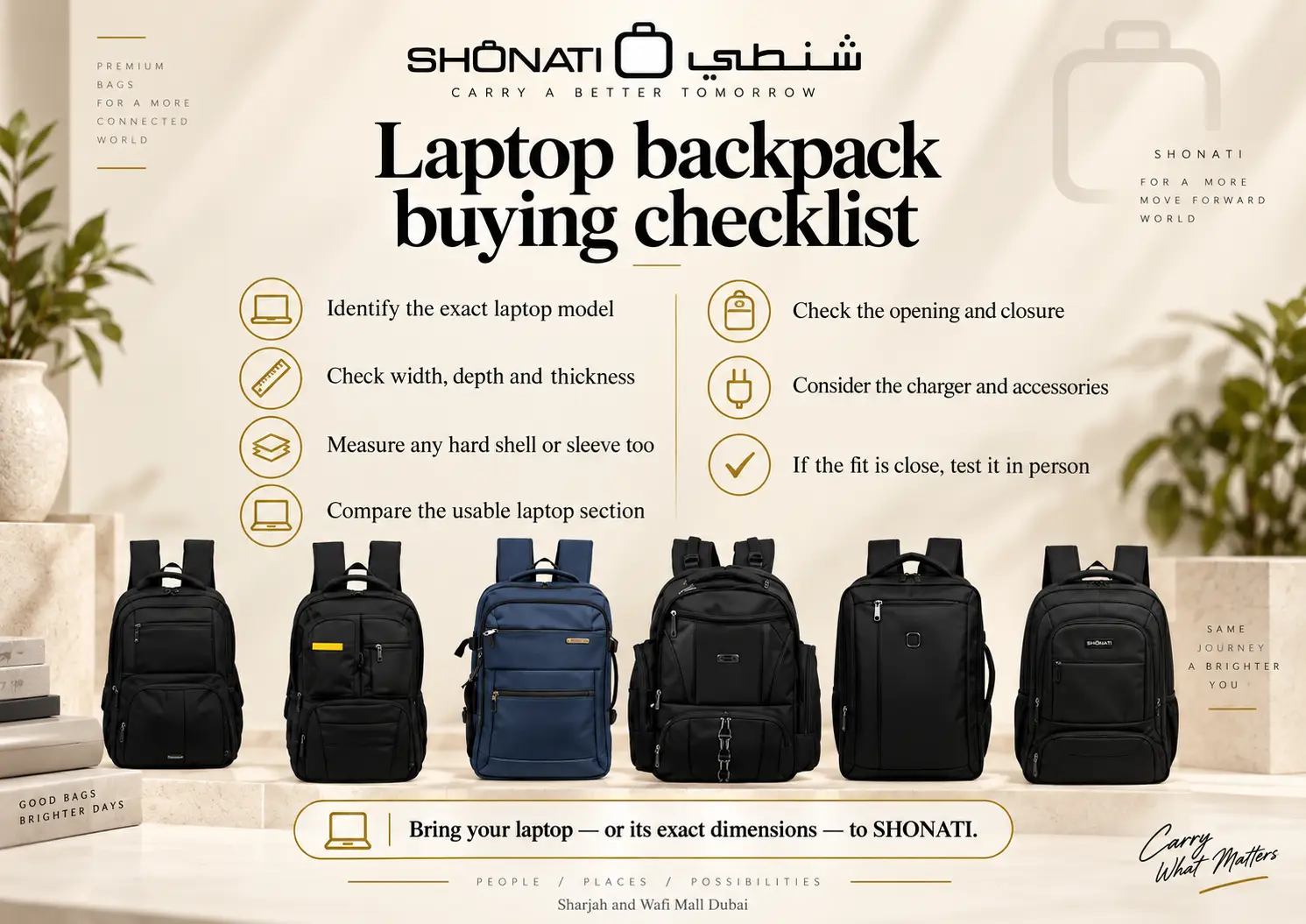
Laptop Backpack Buying Checklist
- Identify the exact laptop model.
- Check the complete laptop body dimensions.
- Do not use screen diagonal as the only fit measurement.
- Measure the laptop with its protective case if you normally use one.
- Check the backpack’s internal laptop-section dimensions where published.
- Check the opening separately.
- Confirm there is enough thickness clearance.
- Make sure the bag closes without pressure.
- Check whether the laptop section is padded.
- Check for a raised or false bottom if protection is important.
- Consider the size of the charger and accessories.
- Do not use backpack litres as a laptop-fit measurement.
- Do not assume a 17, 18 or 19-inch bag label is the compartment size.
- If measurements are close, physically test the fit before purchase.
- Check airline cabin or personal-item rules separately if you plan to fly with the backpack.
Compare Laptop Backpacks at SHONATI
You can browse backpacks at SHONATI and compare current models by overall size, product weight, compartments, organisation and available laptop-compatibility information.
Current PRESIDENT examples include:
- PRESIDENT BPP6957/18;
- PRESIDENT BPP6959/18;
- PRESIDENT BPP24939 Executive;
- PRESIDENT BPP8003;
- PRESIDENT BPP2797;
- and PRESIDENT BPP00455.
More brands and laptop-bag formats are also available depending on current stock.
For these six models, SHONATI physically confirmed the two laptop examples above. For a different device, compare its full body size and ask for a fit check rather than relying on the inch label.
Frequently Asked Questions
Will a 16-inch laptop fit in a 15.6-inch backpack?
It can, but not always. Compare the full laptop width, depth and thickness with the backpack’s usable laptop-compartment dimensions and opening. A compact 16-inch laptop may fit some 15.6-inch bags, while a larger model may not.
Can a 15.6-inch laptop be physically bigger than a 16-inch laptop?
Yes. The Lenovo LOQ 15.6-inch example in this guide is slightly wider, deeper and thicker than the 16-inch MacBook Pro (2024) in this comparison. Screen diagonal does not determine full chassis size.
How do I measure my laptop for a backpack?
Close the laptop and measure the complete body from left to right, front to back and bottom to top. Use the laptop’s width, depth and thickness, not only its screen size.
Should I measure the laptop with its protective case?
Yes, if that case normally stays on the laptop when you carry it. Measure the actual configuration that needs to enter the backpack.
What size backpack do I need for a 15.6-inch laptop?
There is no single external backpack size that guarantees fit. Use the laptop’s physical dimensions and compare them with the backpack’s internal laptop compartment.
What size backpack do I need for a 16-inch laptop?
Choose a backpack whose usable laptop section is larger than your specific laptop’s body dimensions and whose opening allows the device to enter without force.
Is the backpack’s overall size the same as the laptop compartment size?
No. Overall backpack dimensions include the complete bag, while the laptop sleeve occupies only part of the interior.
Does backpack capacity in litres tell me which laptop fits?
No. Litres describe overall storage capacity. Laptop fit depends on the dimensions and opening of the dedicated laptop section.
Should a laptop fit tightly in the backpack?
It should be held securely, but it should not require force to insert or close. A fit that places pressure on the zipper, laptop corners or backpack seams is too tight.
Are gaming laptops harder to fit?
They can be. Many gaming laptops use thicker chassis, larger cooling structures and bigger chargers. Measure the exact model instead of relying on screen size.
Does an 18-inch backpack automatically fit an 18-inch laptop?
No. An inch number in a backpack name may be a nominal product reference or compatibility claim, not the measured dimensions of the internal compartment.
Why do some backpack sources list different laptop sizes for the same model?
Different sellers may use different compatibility assumptions or supplier data. For BPP24939, SHONATI physically confirmed that the two named laptop examples fit; for another device, check its body dimensions and test the actual fit.
Can SHONATI check whether my laptop fits before I buy?
Yes. Bring the laptop or its exact physical dimensions to SHONATI and compare it with the actual backpack when fit needs to be confirmed.
Final Takeaway
The difference between a 15.6-inch and a 16-inch laptop is not enough to tell you whether either device will fit a backpack.
Screen size is only the beginning.
The correct buying process is:
- identify the exact laptop;
- check its full physical dimensions;
- measure the backpack’s usable laptop section;
- check the opening and closure;
- include any protective case;
- and physically verify close fits whenever possible.
The Lenovo LOQ and MacBook Pro example proves the point clearly:
a 15.6-inch laptop can be physically larger than a 16-inch laptop.
The six PRESIDENT examples show that 17-inch, 18-inch and 19-inch product labels do not automatically describe the internal laptop compartment. Both named laptops fitted all six in SHONATI’s physical check, even though the exterior sizes and designs differ.
So instead of asking only:
“What inch laptop does this backpack fit?”
ask:
“What are the usable laptop-compartment dimensions, and does my actual laptop fit without pressure?”
Explore backpacks at SHONATI online, or bring your laptop to our Sharjah or Wafi Mall Dubai stores to compare selected backpacks in person.
How this guide was prepared: SHONATI compared manufacturer laptop body specifications, matching model-specific dimension images where available, and current product-page specifications. SHONATI also physically tried the two laptop examples in all six listed PRESIDENT backpacks; both fit, with distinct space for a laptop, notebook and other items. Exterior dimensions and the physical fit result are separate facts. No numerical internal sleeve or clearance measurement is claimed.